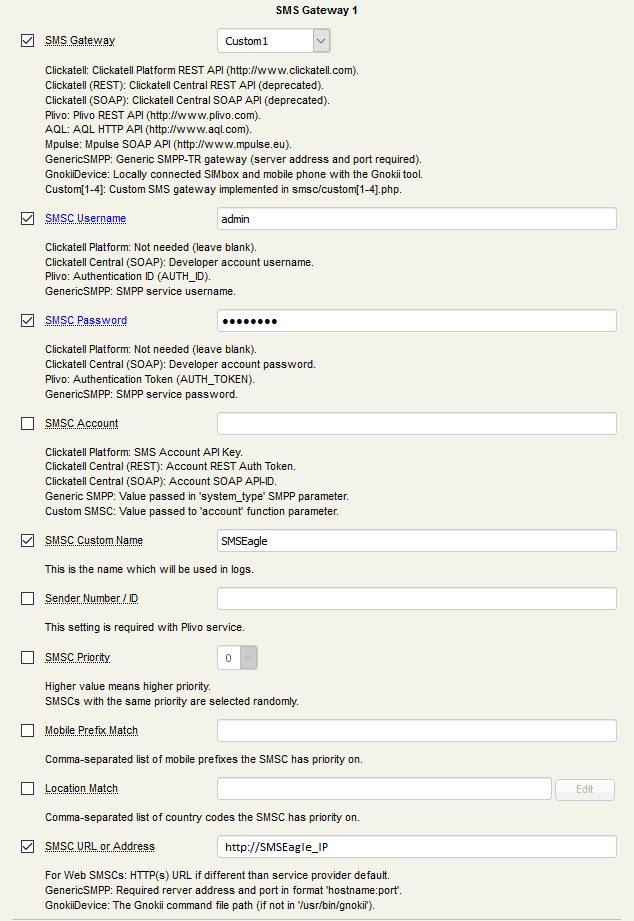
1. Download script custom1.php from our repository: https://github.com/smseagle/smseagle-rcdevs_openotp
Place the plugin in your OpenOTP/smsc directory.
- it will be used as “Custom 1”, but if you already use it for other configuration, you can rename file to “customX.php” and than edit “smshub_custom1” in line 27 to “smshub_customX” where X is number from 2 to 4.
2. All configuration related to SMS Gateway settings messages is done from the SMS Gateway configuration.